
Testing Pull Requests (PRs) in software development offers numerous advantages. It fosters collaboration among team members, minimizes errors, provides valuable learning opportunities, promotes transparency, and facilitates the onboarding process for new developers.
Encouraging Collaboration: PRs promote open discussions regarding code changes, enabling developers to provide feedback, propose enhancements, and seek clarification before integrating new code. Through effective collaboration, the end result is a significant improvement in the quality of the code.
Improved Quality by reducing bugs: With the collaboration of multiple developers reviewing and testing code in PRs, the identification of bugs, security issues, and errors is enhanced. This ensures that changes are thoroughly checked before going live, leading to more stable code releases.
Learning opportunities: As suggested by a IT project manager, reviewing others' code in PRs provides valuable learning opportunities for developers. It allows them to acquire new skills, stay updated, and gain useful techniques and best practices from their colleagues.
Transparency: It’s crucial as it allows for clear visibility into the changes being made and the reasons behind them. Transparency is key in ensuring that developers and stakeholders have a shared understanding of the codebase, project roadmap and a solid test plan.
Efficient Onboarding: Reviewing PRs can be a valuable learning experience for new developers. By observing how experienced developers make changes, they can quickly grasp the codebase and standards, which helps them ramp up faster.
With a strategic approach to testing PRs, software development teams can foster collaboration, maintain code quality, and establish a robust code base.

How PRs encourage Collaboration?
Pull requests (PRs) are a valuable tool for enhancing team collaboration in software development. They enable asynchronous code reviews, which promote discussions and knowledge sharing among team members. By using PRs, you can foster a culture of collective code ownership within your team.
Asynchronous Code Reviews: Code reviews conducted asynchronously provide a convenient way for team members to review code changes. This allows developers to offer feedback, propose enhancements, and ask questions without the need for synchronous meetings.
Facilitating Discussions: By utilizing comments and discussions within PRs, team members can actively participate in productive conversations regarding code changes, exchange valuable insights, and collaboratively strive to improve the codebase's quality.
Encouraging Knowledge Sharing: By reviewing PRs, developers have the chance to gain insights from one another, explore various problem-solving methods, and adopt effective practices and techniques from their colleagues. This helps to cultivate a team culture that values ongoing learning.
Encouraging Collective Code Ownership: By engaging multiple team members in the review and testing of PRs, a culture of shared accountability for the codebase is nurtured. Encouraging a collective ownership mindset fosters collaboration among developers to enhance and maintain code quality.
With a deep understanding of PRs, software development teams can optimize collaboration, communication, and productivity to deliver top-notch code.
Different applications on the use of PR Testing
Testing PR also enables UI smoke testing, which helps to ensure that important features stay the same after coding changes, leading to a better, more reliable software product.
1. Test in different environments.
It is possible to verify that your code performs as intended in a wide range of situations by running your pull requests in many scenarios.
- Have the option to test your PRs on various devices, operating systems, browsers, and network speeds, among other things.
- Develop, stage, and production environments are just a few of the many places you may put your PRs to the test.
- You may find and address compatibility, performance, security, and other issues by testing in different environments.
2. Implement feature flags
To activate or disable certain features or functions of your code without actually modifying the code, you may use feature flags.
If you want to make sure that only authorized users can test your PRs, feature flags are a great way to do so. Feature flags allow you to restrict access to certain users, allowing you to test pull requests with internal users, beta testers, or even particular segments.
Additionally, feature flags allow you to progressively roll out or revert your features without impacting other users. A tool such as TestQuality are available for the implementation and management of your feature flags.
3. Implement a test-driven approach
One approach is test-driven development (TDD), which calls for creating tests prior to coding. By making you consider the needs and requirements of your code before implementing it, TDD helps automate and simplify your testing process for PRs. Ensuring the code works as expected and passes tests is as easy as creating tests first.
Additionally, you may enhance and reorganize your code without fear of causing it to break. Coding that is easier to understand and maintain is another benefit of TDD.
In summary
As you've seen, Pull Request (PR) testing is a game-changer for software development. It fosters teamwork, minimizes errors, and streamlines onboarding. But how can you take your PR testing to the next level?
Introducing TestQuality, the ultimate test management app!
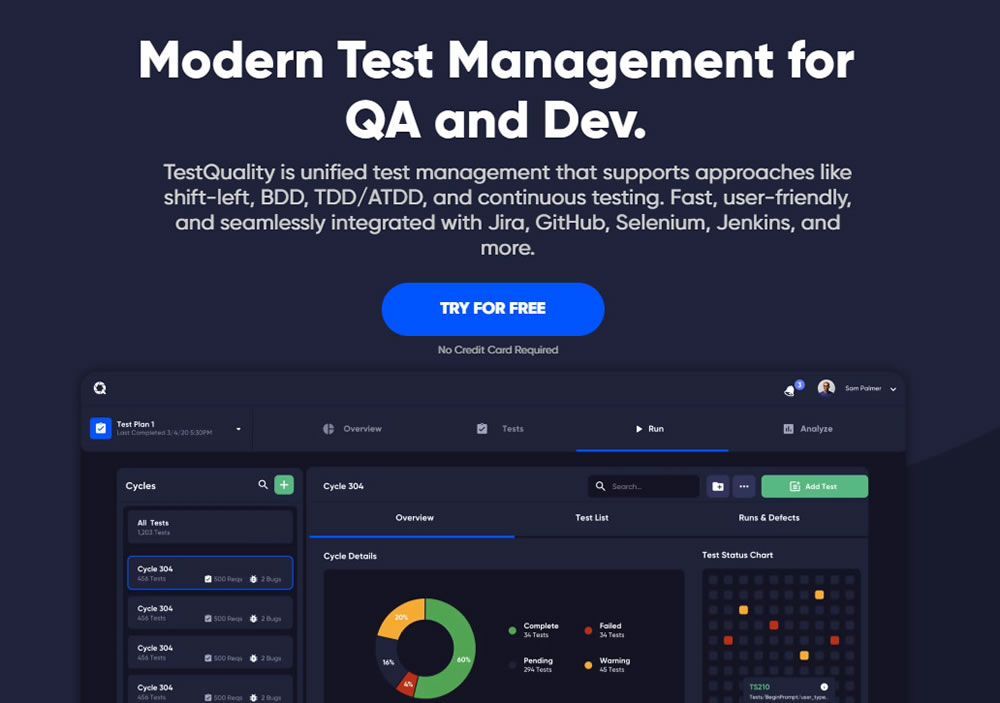
TestQuality empowers you to perform many test management actions:
- Run tests across environments: Ensure flawless functionality on all devices and browsers.
- Enhance Collaboration: In a upcoming TestQuality feature, teams will be able to streamline communication and feedback within PRs. TestQuality will be able to facilitate discussions, knowledge sharing, and collective code ownership, leading to a more cohesive development team.
- Embrace test-driven development: Write tests first for a more efficient and reliable workflow.
Ready to unlock the true potential of PR testing? Subscribe to TestQuality today and get the first to know when this upcoming feature will be ready to experience the difference!