
AI Powered QA and Test Management
Use TestQuality’s QA agents to create and run test cases and analyze results automatically, from a chat interface or your agentic workflows. Accelerate software quality for human and AI-generated code, 24/7.
Free plan available · No credit card required
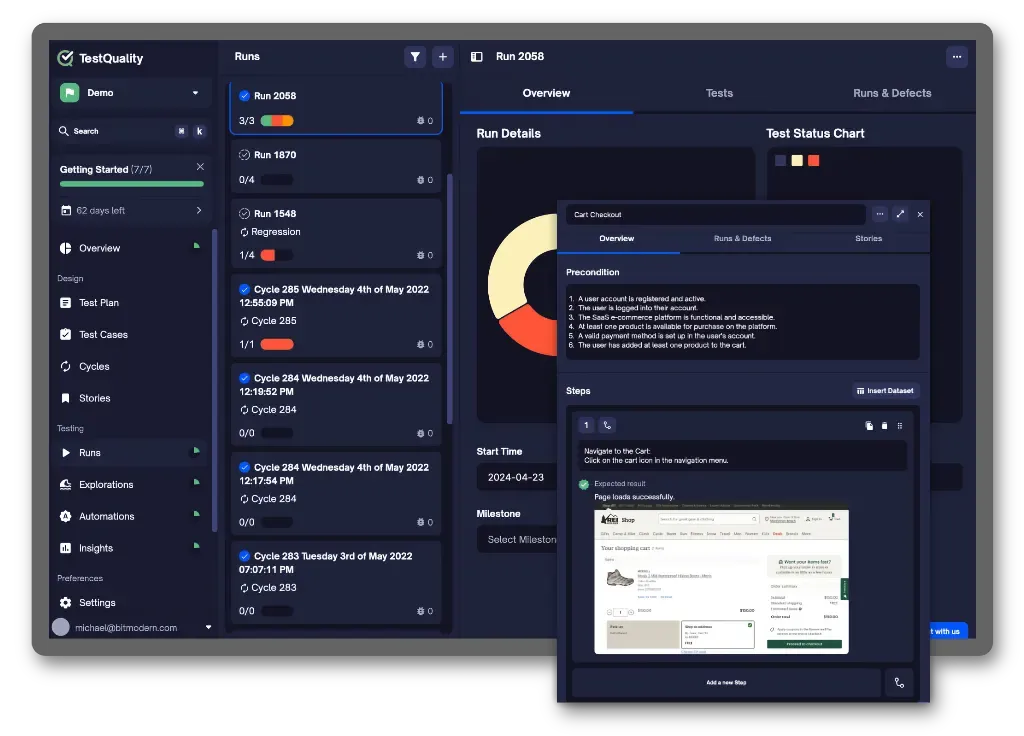
Works with your AI tools


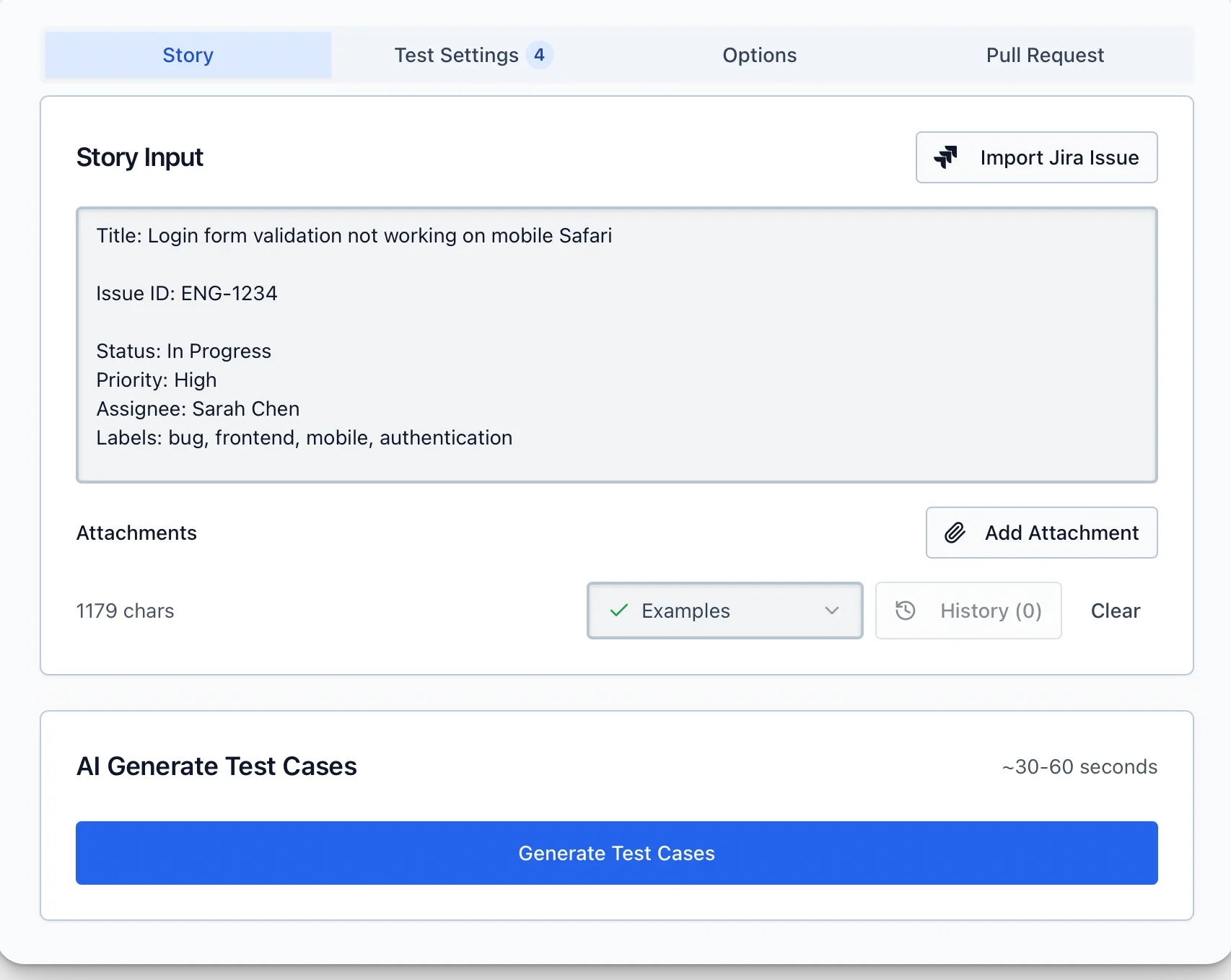
AI Test Case Generation
TestQuality includes the TestStory.ai test case generator (in preview). Quickly generate quality manual test cases from user stories, epics or issues, imported from Jira, Linear or GitHub.
- 500 TestStory AI credits per month included in TestQuality plans (one test case generation per credit)
- Use TestQuality’s AI model, powered by Google Gemini, or bring your own key and model
- Powered by TestQuality’s QAMind AI engine on foundation models from Google, OpenAI and Anthropic
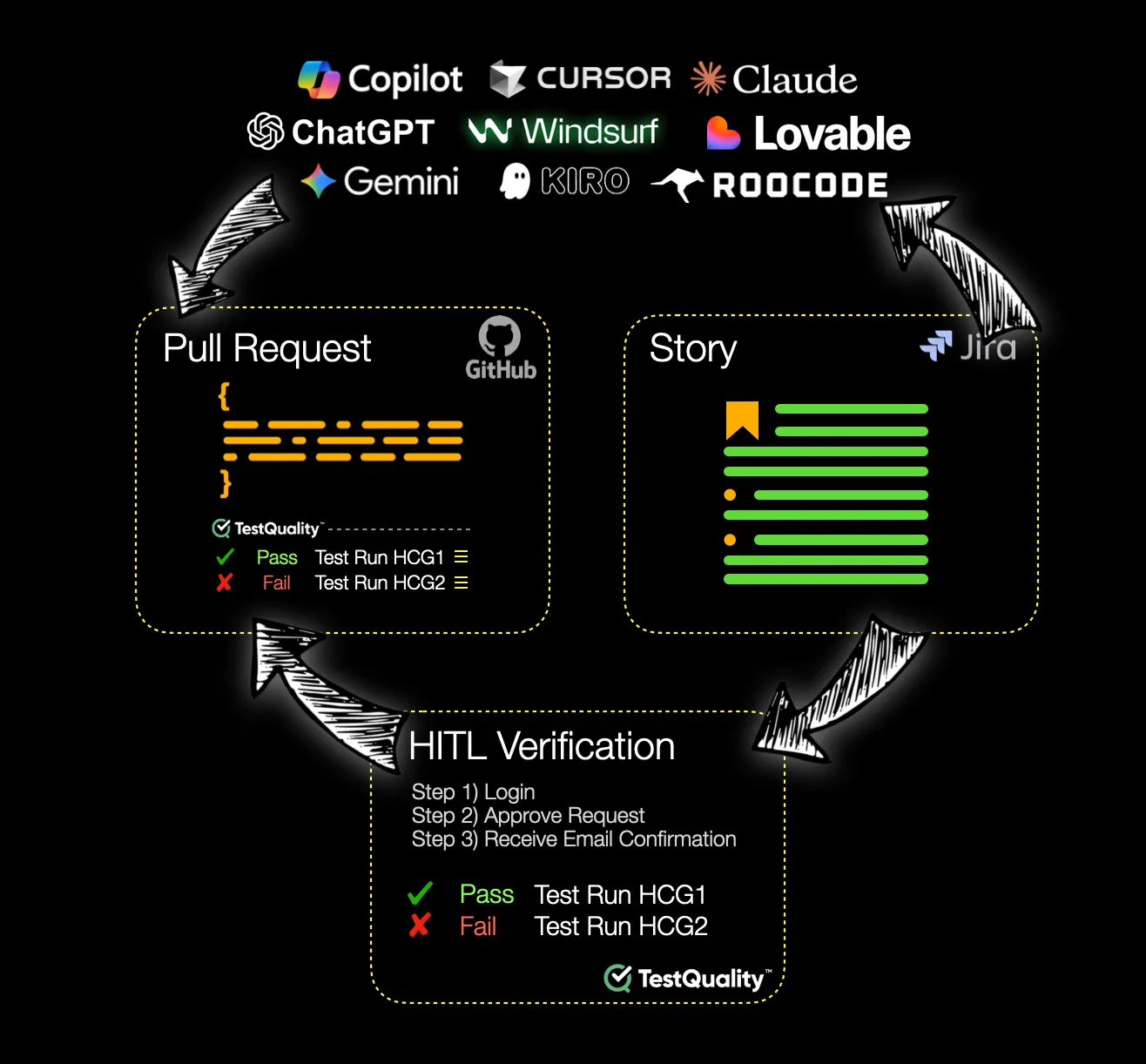
Human in the loop
AI Code Quality Verification
Generate step-by-step HITL functional tests to validate human- and AI-written code changes, so fixes and features actually work and meet requirements before they reach your mainline.
- Automatically generates pull request checks with proper test runs
- Assigns test runs to human testers
- Updates progress and status in your GitHub PR check, QA dashboards, reports and analytics
- Gates pull requests until a human has verified the code
Pull Request Testing and Verification
Beyond code review: with the rapid rise of AI-assisted and AI-generated code, the need for humans to test that changes work as intended has grown dramatically.
Link TestQuality to your GitHub repos. When AI or human developers open pull requests, test runs are created automatically, assigned to human testers and added as GitHub checks, so AI-written code is always validated by a human before it’s checked in.
Are you validating the quality of your AI-generated code?
- 01
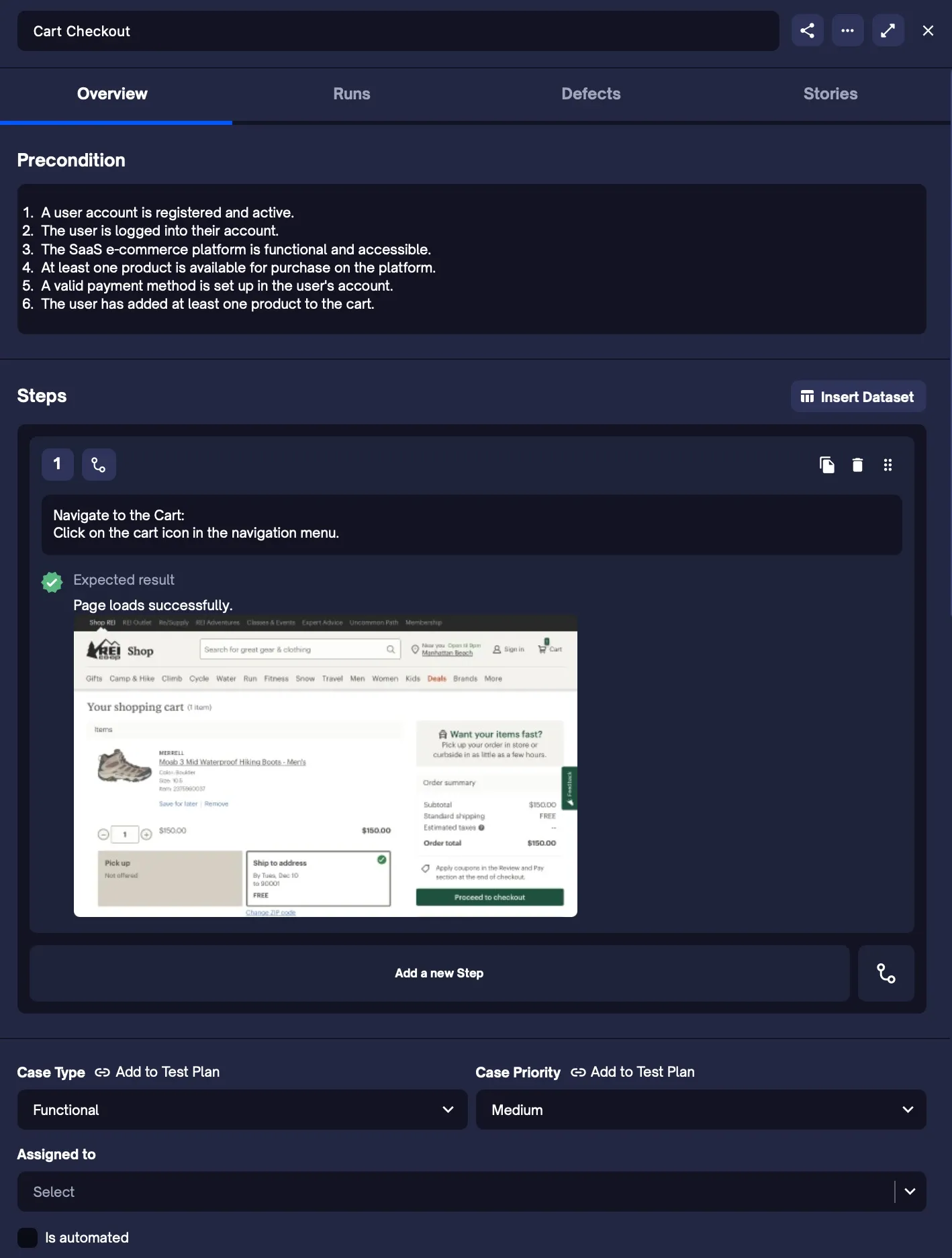
Test plan driven test management
The only test management solution that helps you build a robust, results-driven test plan and then powers your test management directly from it.
- 02
100% history log of every action
Every user and database action is logged and retained for reporting and auditing, for full traceability and accountability.
- 03
Blended manual to automation journey
Testing usually starts manual and moves toward automation. TestQuality manages the blend and helps teams automate more and more over time.
Faster, Deeper and Clearer Test Results
Run large-scale, demanding manual and automated testing with confidence, with intelligent coordination and native integrations.
Intuitive testing tailored for QA and dev teams
Perfect for teams adopting shift-left testing: manage test plans, milestones, manual and automated tests, and organize cases in a central repository with preconditions, steps and attachments.
Start free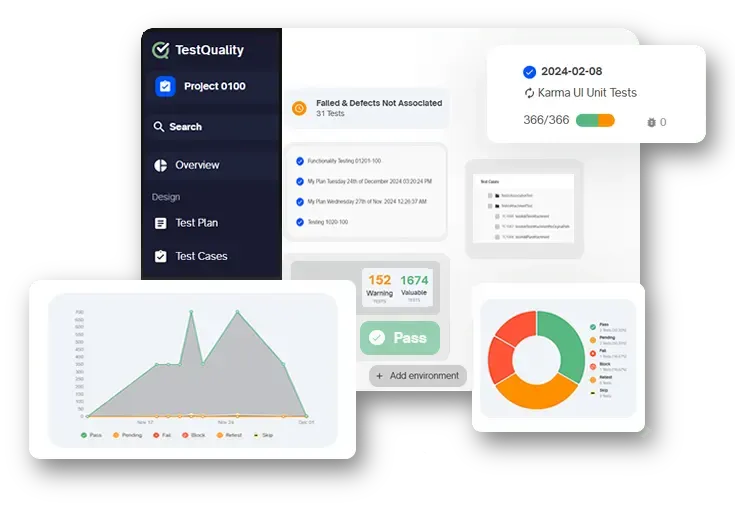
Plan
Forget templates and spreadsheets. The free test planner builds a world-class test plan with strategies, goals and milestones, and the free test case builder helps you write manual test cases.
Manage
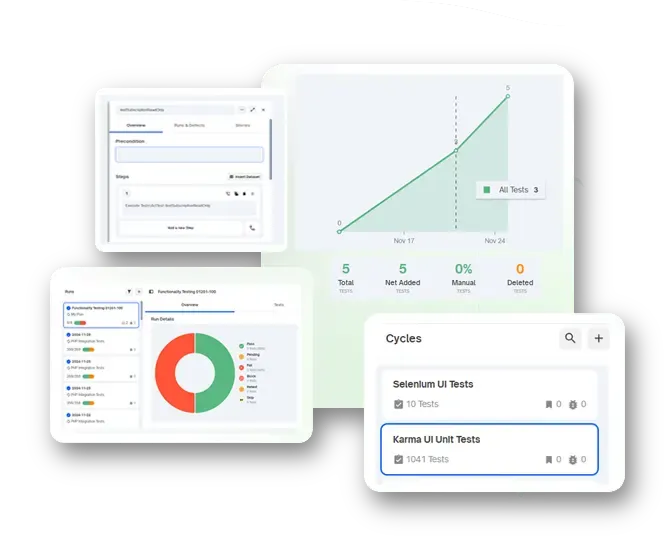
Build, run and manage test cases, plans, runs and cycles, bringing manual, automated, developer and exploratory testing into one platform.
Integrate
Over 30 test automation, CI/CD and unit testing integrations, including GitHub, Jira, Selenium, Playwright, Jenkins, JUnit and PyUnit, plus a scriptable REST API.
Unified testing
Built-in tools for manual and exploratory testers, and integrations for automated and unit tests, in one end-to-end test management platform.
Collaborate
Customizable roles, permissions and fair, simple pricing let you tailor TestQuality and scale with your dev and QA team.
Succeed
Priority support, personalized onboarding, 1:1 demos, migration help and issue resolution in under 24 hours.
Cloud pricing plans
Simple and fair pricing that offers more power, features and support, for less.
Free
$0/user/mo
Free forever
Start freeTeam
Most popular$8/user/mo
$990 billed yearly · 10 users
Start free trialBusiness
$11/user/mo
$2,640 billed yearly · 20 users
Start free trialEnterprise
$16/user/mo
$5,610 billed yearly · 30 users
Start free trial
“TestQuality was the best choice we’ve made for our team, and elevated our testing strategy to another level.”
 Kyle FranshamVP R&D, Superna
Leading software teams trust TestQuality


FAQ
Everything about AI code validation, test management and how TestQuality fits your workflow.
What is HITL AI code validation?
HITL (human-in-the-loop) AI code validation is manual software testing by developers and QA to make sure source code and unit tests generated by AI tools like Copilot, Cursor, Windsurf, Claude and ChatGPT work as intended.
Developers first perform it in a “shift left” mode on AI-generated code and unit tests at the pull request stage, and QA later in system, smoke and regression testing. HITL validation helps teams keep AI code generation pipelines fast while code, unit test and software quality stay high as AI adoption scales.
What is HITL unit test validation?
HITL unit test validation is manual testing by developers and QA to make sure unit tests generated by AI tools like Copilot, Cursor, Windsurf, Claude and ChatGPT work as intended.
Developers validate AI-generated unit tests at the pull request stage; once validated, the tests run in automation in frameworks such as PyTest, JUnit and NUnit. TestQuality supports HITL unit test validation and integrates with all popular unit testing frameworks, so their results sit alongside all your manual and automated testing.
Which AI tools does TestQuality work with?
TestQuality provides HITL code validation for code generated by:
- Smart IDEs and code assistants like Copilot, Claude and Windsurf
- LLMs such as Claude, ChatGPT, Gemini, Grok and DeepSeek
- Code agents such as RooCode, Cline, Claude Composer, Windsurf Cascade and Devin AI
- Vibe coding and AI cloud coding tools like Lovable, Replit, Bolt and v0
- Human developers (every TestQuality test feature works with both AI- and human-generated code)
What are the key benefits of implementing a test management tool?
- Drive successful quality initiatives for all your software projects and teams.
- Simplify test case creation and organization.
- Help testers know what to test and when.
- Gain visibility into your testing process and quality status.
- Synchronize your manual, automated and unit testing.
- Make it easier for testers to execute test cases and track progress.
- Keep your testing status in sync with defects and issues in Jira and GitHub.
What are the key considerations when selecting a test management solution?
- Cloud or self-hosted. Cloud-based solutions remove the need for IT infrastructure, servers and onsite management.
- Issue and requirements integrations. Look for seamless integration with popular trackers like Jira and GitHub Issues.
- Test automation, unit testing and CI/CD integrations. Make sure the tool supports manual and automated testing, integrates with frameworks like Selenium, Cucumber and PyUnit, and with CI/CD tools such as Jenkins and CircleCI to upload results from your pipeline automatically.
- Ease of use. Test management tools are often complex. Look for a friendly, intuitive interface that’s easy for testers to use.
- Reporting and analytics. Comprehensive reporting shows your project’s quality lifecycle, and analytics help you assess the effectiveness of your tests.
- Customization. A good platform works out of the box and can be tailored to your workflows, terminology and rules, rather than forcing you to adapt to it.
How is TestQuality different from other test management solutions?
All test management tools help you organize and run testing and measure results. The test plan is where TestQuality first separates from the pack. The test plan should be the core of every testing effort, but most tools have little real test plan concept beyond grouping tests. TestQuality is driven by your test plan: quality goals, strategies and milestones are live inputs that drive testing throughout the development lifecycle, and the Test Plan Builder is free.
TestQuality is also built from the ground up for integration. It’s purpose-built for GitHub and Jira workflows and designed to integrate with virtually every test automation and unit testing tool. It supports shift-left developer testing with native GitHub pull request support and features designed for dev and QA collaboration, with live analytics on test quality, coverage, high-value tests, unreliable tests and release readiness.
Does TestQuality work with my other testing, dev and DevOps tools?
Yes. Working with the tools you already use is TestQuality’s wheelhouse. Its live, two-way integration core talks to GitHub and Jira in real time, linking issues and requirements with the key tools in your DevOps workflow.
TestQuality pulls in automated results from popular CI/CD, test automation and unit testing systems and integrates with over 30 testing and DevOps tools. You can import requirements, tests and issues from Google Drive or Excel, or script the CLI or REST API to import tests from other tools.
Can we customize TestQuality for our company?
Yes. TestQuality is fully customizable for your testing terminology, workflows and rules: add custom fields and customize test statuses, purposes, case types, cycles and priorities. If you have unique requirements, TestQuality can likely support them, and the support team will help every step of the way.
New to testing? TestQuality comes configured out of the box to help you build a high-performing process from the start, and the product team welcomes your feature requests.
Get the free weekly newsletter for QA
Testing tips, guides and TestQuality news, once a week.